

Description
Download MAC Address Changer – free MAC address changer tool for Windows
Overview
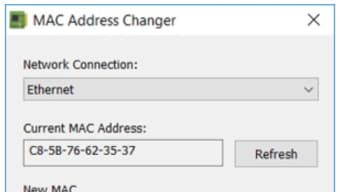
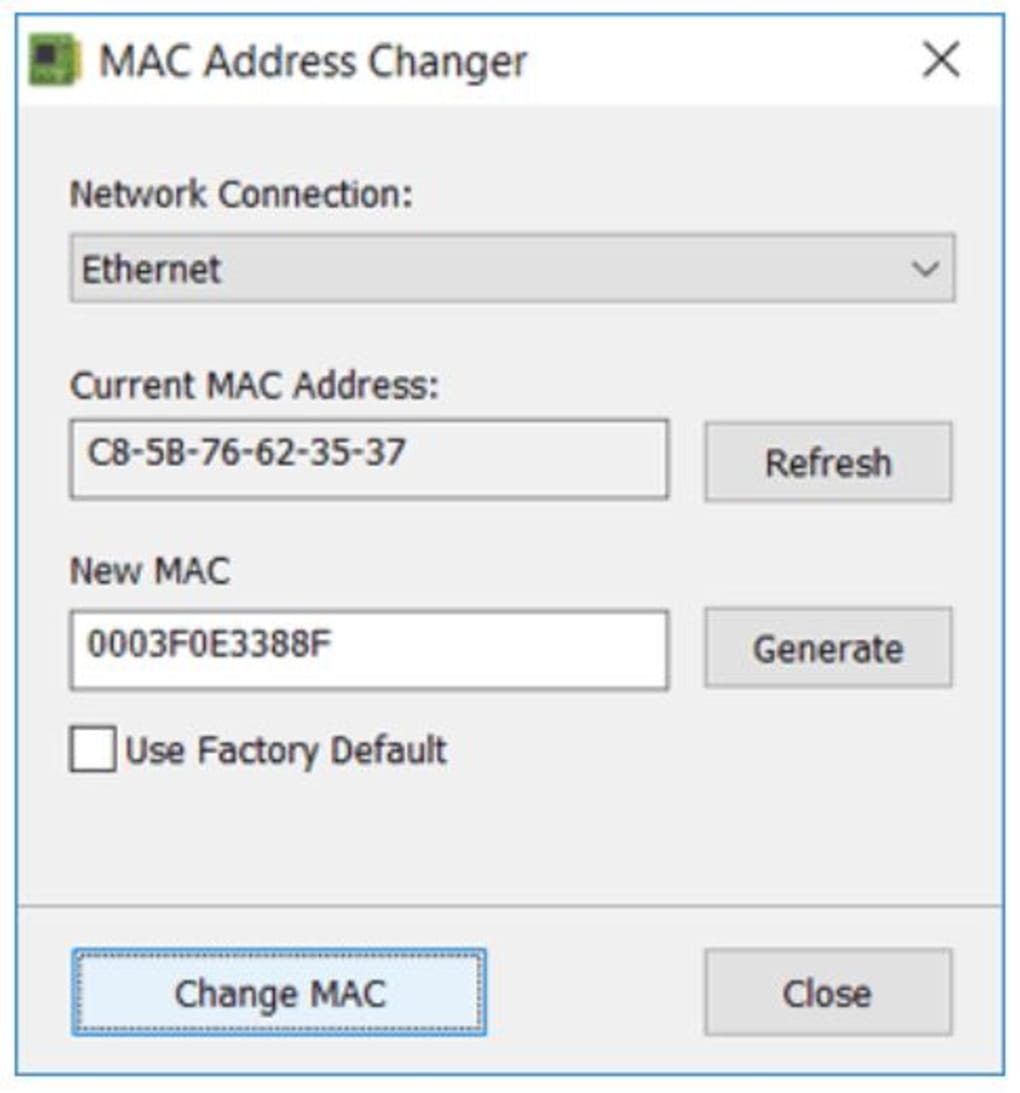
MAC Address Changer is a lightweight, free network utility created by Igor Tolmachev of IT Samples. The program’s sole purpose is to let users generate a new Media Access Control (MAC) address and instantly assign it to any network adapter installed on a Windows PC. A MAC address is a hardware‑level identifier that routers, switches, and many internet service providers (ISPs) use for filtering, authentication, and static IP allocation. In certain environments – for example, public Wi‑Fi hotspots, corporate networks that enforce MAC‑based access control, or ISP plans that tie service to a specific hardware address – changing the MAC can be the fastest way to regain connectivity or protect privacy. MAC Address Changer strips away the complexity that other tools often bring. It offers a single‑window interface: a drop‑down list of adapters, a read‑only field that shows the current MAC, an input box for the new address, and a built‑in generator that produces a correctly‑formatted address with a single click. Once the desired address is entered, the “Change MAC” button applies the change instantly, and a “Reset to Default” button can revert the adapter back to its factory‑issued address. The software does not require installation of drivers or additional services; it works directly with the Windows networking stack. While the tool works with most modern NICs, a few legacy drivers may not honor the change, and users should be aware that altering the MAC can sometimes cause temporary loss of network connectivity until the adapter is refreshed. Overall, MAC Address Changer delivers a fast, secure, and user‑friendly way to manage MAC addresses without the overhead of bulky network suites.
Key Features
- One‑window interface: All controls are presented in a single, clutter‑free dialog, eliminating the need to navigate multiple menus.
- Built‑in MAC generator: Generates random, standards‑compliant MAC addresses with a single click, ensuring correct formatting.
- Instant change: Applies the new address to the selected adapter immediately, without requiring a system reboot.
- Factory reset option: Restores the original hardware MAC address with one button, useful for troubleshooting.
- Adapter selection dropdown: Supports any network interface recognized by Windows, including Ethernet, Wi‑Fi, and virtual adapters.
- Lightweight footprint: The executable is under 2 MB, uses minimal RAM, and leaves no background services running.
- Free for personal and commercial use: No hidden fees, registration, or ads, making it ideal for IT professionals and hobbyists alike.
- Secure operation: The program does not collect or transmit any personal data; all changes are performed locally on the device.
Installation & Usage Instructions
Getting started with MAC Address Changer is straightforward. Follow these steps to download, install, and change your MAC address safely:
Step 1 – Download the executable
Visit the official IT Samples website or a trusted software repository and click the “Download MAC Address Changer” button. The file is a self‑extracting .exe that requires no installer; simply save it to a folder where you have write permissions.
Step 2 – Run as Administrator
Because changing a MAC address touches low‑level network settings, you must launch the program with elevated privileges. Right‑click the MACChanger.exe file and choose “Run as administrator.” If prompted by User Account Control (UAC), confirm the action.
Step 3 – Select the network adapter
Inside the main window, locate the drop‑down menu labeled “Network Interface.” Click to reveal all available adapters – wired Ethernet, wireless Wi‑Fi, Bluetooth PAN, or virtual adapters created by VPN software. Choose the adapter whose MAC you wish to modify.
Step 4 – View current MAC and generate a new one
The “Current MAC” field automatically displays the hardware address of the selected adapter. If you want a random address, click the “Generate” button; the new address will appear in the “New MAC” field, already formatted as six hexadecimal pairs separated by colons (e.g., 00:1A:2B:3C:4D:5E). Alternatively, you can type a custom address, provided it follows the same format and does not conflict with reserved ranges.
Step 5 – Apply the change
Press the “Change MAC” button. The program will communicate with the Windows network stack, update the registry entries for the selected adapter, and restart the interface automatically. A confirmation message will appear once the operation succeeds.
Step 6 – Verify the new address
Open a command prompt and run ipconfig /all or getmac to confirm that the new MAC address is active. You can also revisit the MAC Changer window; the “Current MAC” field now reflects the updated value.
Step 7 – Revert to factory default (optional)
If you need to restore the original hardware address, simply click the “Reset to Default” button. The program will remove the custom entry from the registry and restart the adapter, returning the device to its manufacturer‑assigned MAC.
Overall, the entire process—from download to change—takes less than two minutes for most users, making MAC Address Changer an efficient solution for on‑the‑fly network reconfiguration.
Compatibility, Pros & Cons
Supported Operating Systems: Windows 7, Windows 8/8.1, Windows 10, and Windows 11 (both 32‑bit and 64‑bit). The utility works with most NIC drivers that expose the MAC address through the standard Windows API. However, certain virtual adapters (e.g., some VPN or Docker interfaces) may not honor the change because they rely on software‑generated MACs.
Pros
- Extremely simple UI – no learning curve.
- Instant changes without reboot.
- Free and ad‑free, suitable for commercial environments.
- Built‑in random generator guarantees valid address format.
- Low system impact – runs as a single executable.
- Secure – all operations are performed locally; no telemetry.
Cons
- Only works on Windows; no native macOS, Linux, Android, or iOS version.
- Some legacy NIC drivers may ignore the registry change, requiring manual driver update.
- Changing MAC can temporarily disrupt network connections; users must be prepared to reconnect.
- No built‑in backup of previous MAC addresses beyond the “Reset to Default” feature.
Frequently Asked Questions
Can I use MAC Address Changer on a laptop that switches between Wi‑Fi and Ethernet?
Yes. The drop‑down list shows every network interface recognized by Windows, so you can select the Wi‑Fi adapter, change its MAC, then repeat the process for the Ethernet port without closing the application.
Is the generated MAC address truly random?
The built‑in generator creates a random 48‑bit value that complies with the IEEE 802 standard. It avoids the multicast and locally administered bits that could cause conflicts on most networks.
Do I need an internet connection to change my MAC address?
No. All operations are performed locally. You only need an internet connection to download the installer; the actual change does not contact any external servers.
Will changing my MAC address affect my Windows license or activation?
No. Windows activation is tied to the hardware ID, which includes but is not limited to the MAC address. Changing the MAC alone does not trigger re‑activation, though some corporate environments may have policies that track MAC changes.
Can I schedule MAC address changes or automate them?
The free version does not include scheduling features. However, because the tool is a single executable, you can call it from a batch script or PowerShell with appropriate parameters to automate changes, provided you run the script with administrator rights.
Conclusion & Call to Action
MAC Address Changer delivers exactly what its name promises: a fast, free, and secure method to modify the MAC address of any Windows network adapter. Its single‑window design eliminates the clutter found in many competing utilities, and the built‑in generator ensures that even users with limited networking knowledge can produce a valid address in seconds. While it lacks native support for non‑Windows platforms and may encounter compatibility issues with very old drivers, the overall value for IT administrators, privacy‑concerned users, and anyone who needs to bypass MAC‑based network restrictions is significant. If you need a reliable tool to troubleshoot connectivity, test network configurations, or simply add an extra layer of anonymity, download MAC Address Changer today and experience the simplicity of one‑click MAC management.
Pros: Simple UI, instant changes, free, no ads, secure.
Cons: Windows‑only, occasional driver incompatibility.
Guides & Tutorials for MAC Address Changer
How to install MAC Address Changer
- Click the Preview / Download button above.
- Once redirected, accept the terms and click Install.
- Wait for the MAC Address Changer download to finish on your device.
How to use MAC Address Changer
This software is primarily used for its core features described above. Open the app after installation to explore its capabilities.
User Reviews for MAC Address Changer 0
No reviews found





.webp)